Obtaining Auth Codes
The auth code is a one-time password (OTP) used to obtain an access token and is valid for ten minutes. There are two ways to obtain it:
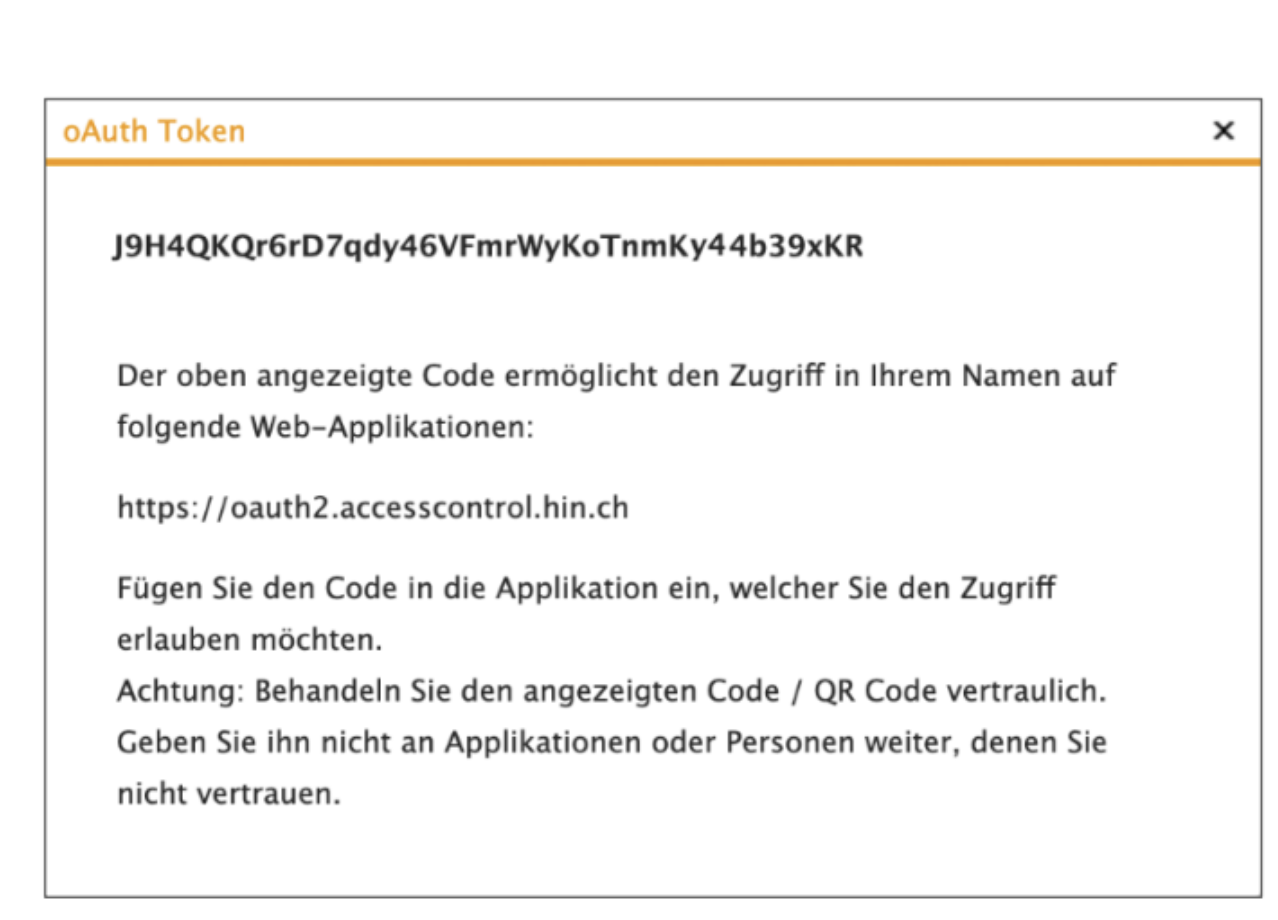
Option a): Displaying the Auth Code in the Web Application
On apps.hin.ch, auth codes can be generated for obtaining access tokens. A separate register is provided for the OAuth service.
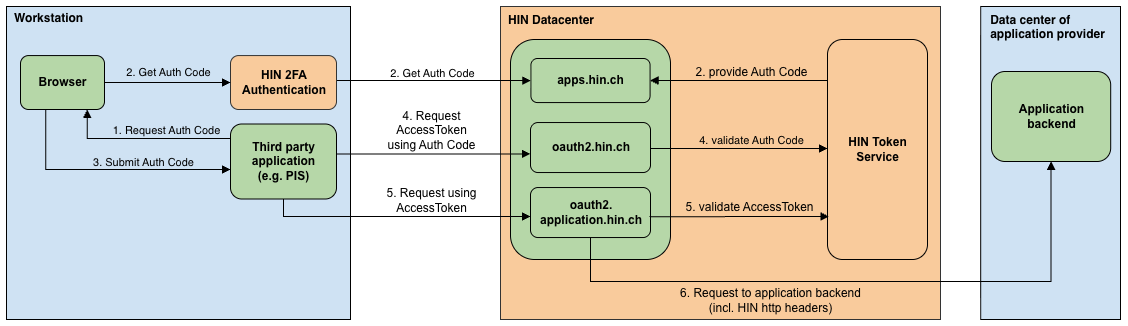
When accessing apps.hin.ch, the first register ("HIN Mail") is displayed by default. To simplify the process for the user, auth codes can be obtained via a direct link: https://apps.hin.ch/#app=HinCredMgrOAuth;tokenGroup=<TokenGroup>
The value after tokenGroup= varies depending on the target application and can be requested from HIN.
Option b): Transmission via Query Parameters
In this option, the auth code is transmitted to a defined redirect URI. The user confirms this by clicking "Yes, allow access." The redirect URI is passed via the called URL:
https://apps.hin.ch/REST/v1/OAuth/GetAuthCode/<TokenGruppe>?response_type=code&client_id=<client_id>&redirect_uri=<Redirect_URI>&state=<state>
| Value | Description |
|---|---|
<TokenGroup> | Application group for which a token is to be obtained (Note: The name is case-sensitive) |
<Redirect_URI> | Redirect URI to which the browser is redirected after confirming the dialog with the auth code. The value must be URL-encoded and registered for the corresponding client ID. |
<state> | A static value that remains during the browser redirect |
<client_id> | OAuth client ID: ID assigned by HIN for the third-party application. Not a HIN identity. |
Example request for the application "ACS Application":
https://apps.hin.ch/REST/v1/OAuth/GetAuthCode/ACS-Applikation?response_type=code&client_id=ch.hin&redirect_uri=https%3A%2F%2Fwww.hin.ch&state=teststate
The auth code is transmitted to the desired redirect URI via URI parameters. Additionally, the state is passed.
https://www.hin.ch/?state=teststate&code=qdoWMwRNHnn9wDNynbMxytwahEGNXBqtipQhZXLF