Process
- Application providers who want to use the Client Credentials Flow contact HIN support (
support@hin.ch). - HIN support creates a HIN ID of type "Device" for the application provider.
- The application provider receives the credentials for the HIN ID and puts them into operation (
https://servicecenter.hin.ch/id-activation). - To obtain the
client_idandclient_secret, the application provider logs in with the HIN ID athttps://apps.hin.ch/#app=ClientCredentials. At the same time, a notification email address must be defined for the expiration of the credentials. - Subsequently, the application provider can obtain access tokens (described under Request Access Token).
Obtaining Client Credentials
The application provider logs in with their HIN ID (see process step 2) at https://apps.hin.ch/#app=ClientCredentials.
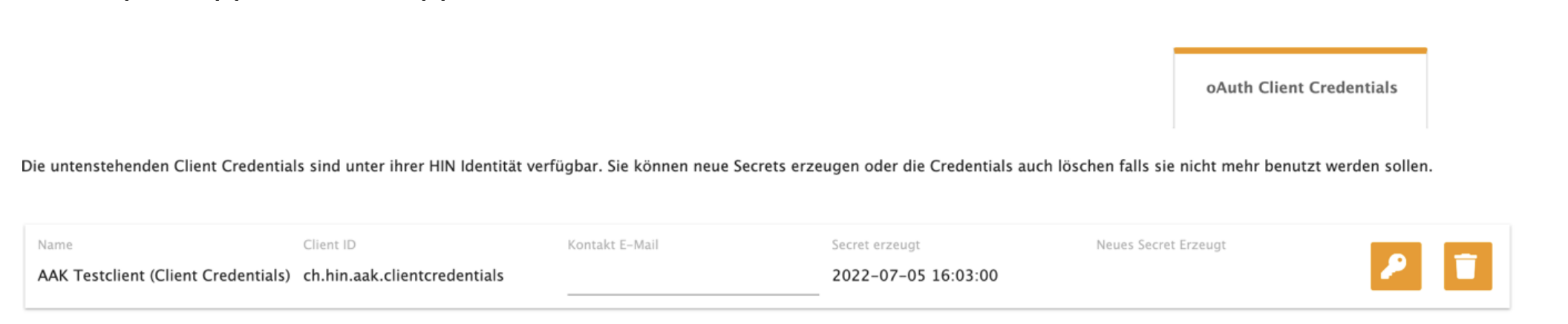
Functions of the Web Application
| Function | Description |
|---|---|
| Defining a notification email | A notification is sent to this email before the client_secret expires. If no address is stored, the notification is sent to the linked HIN ID. |
| Generating a new client secret | A new client_secret can be generated using the "key" icon. The displayed client_secret is valid for 365 days. It becomes active upon first use. |
| Deleting a client secret | A client secret can be deleted using the "trash can" icon. This is necessary, for example, if the secret has been compromised. Please note that the entry in the table remains. |
Obtaining Access Tokens
When obtaining an access token, it must be defined for which token group the token is valid. The client_id to be used was defined in step 3 of the process. The client_secret was obtained in step 4. The obtained access tokens are always valid for the HIN ID generated in step 2 of the process.